Video intercoms in Kingswood
For a multi-occupant entrance, confirm unit call routing before specifying an outdoor station.
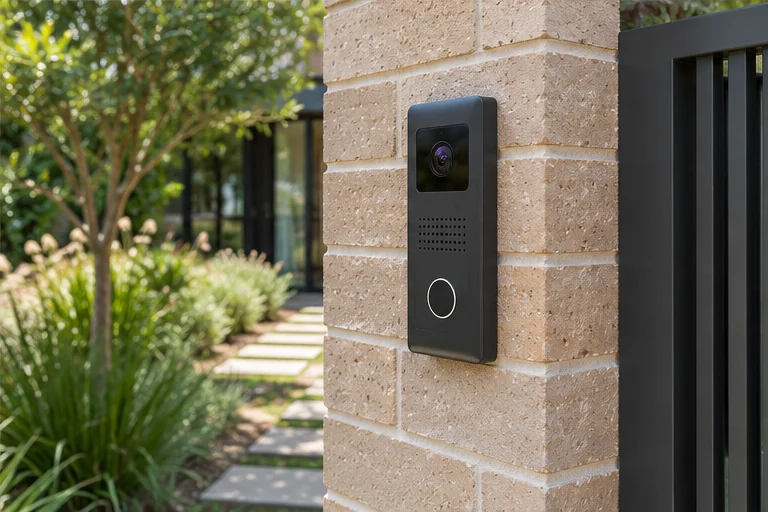
Planning intercoms in Kingswood
Start where a visitor naturally stops
Imagine a visitor selecting a unit on the shared call panel at a managed unit property with a shared entry. Before quoting an apartment upgrade, record the entry panel and indoor station models, and check if the change is within one unit or part of the shared system. A usable call point has to solve three questions in order. The visitor finds the right button, the answering person can identify the caller, and the caller knows what to do next. Walk the approach from the driveway or footpath before marking a position. Check how a person reaches the button, where their face appears when they stand back, and whether a screen door, wall or vehicle obstructs the natural speaking position.
Choose who answers first and who answers next
Plan a sample call using a tenancy change that requires new users and the removal of old access. Decide whether it should ring an indoor station, a staffed desk, phones, or a combination the chosen equipment supports. If the usual responder does not answer, set an expectation for the next step. Try with a phone locked and with its notifications configured as the person normally uses them. Where multiple units or entries are served, label them so both sides know which door is involved before anyone operates a release. Agree what callers should do if nobody answers.
Treat intelligible speech as a separate test
A clear picture does not establish that a caller can hold a conversation. For the approach around the point where residents leave the common path for their own entrance, listen with the actual window or office door shut and use the background conditions people normally encounter. Consider wind, vehicle engines and people talking nearby. At dusk, check whether the visitor’s face is lit by the normal fixtures and whether backlighting makes them hard to recognise. Run one call from the position a regular visitor would choose and another from where someone unfamiliar with the entry is likely to stop.
Test the directory with unfamiliar visitors
Have someone unfamiliar with a managed unit property with a shared entry find the right call destination without help. Then simulate two calls to different occupants. If someone can release a shared door, verify that links to other doors and units behave as expected and agree who updates names or handsets after a move.
Check existing wiring and gate equipment
For a Kingswood upgrade, photograph the existing outdoor and indoor units without removing them and bring the model numbers to the assessment. Shared systems and old bell wiring come with different compatibility questions. If you want a new gate release, identify the gate controller or lock and ask which work is needed for cabling, power and the interface. A call feature, mobile answering and remote release can have different network or equipment dependencies. Ask the installer to show which functions are available in the agreed outage scenario.
Test missed calls and the release separately
Have a visitor selecting a unit on the shared call panel try a real call and leave one unanswered. Check what the visitor sees or hears, whether the intended responder can tell which door rang and what happens on the next attempt. Make two test calls to different units. Confirm where they ring, which entry they can release and what happens when a call goes unanswered. If the scope includes release, ask for a demonstration with the door fully closed, then confirm it secures when the caller leaves. For multiple users, cover who can answer, who can release and who can update those permissions as households or staff change.
What to include in the quote request
Send or bring photos of the proposed external position, the surface on which it would mount and any existing indoor monitor. Describe who answers when somebody is home or on duty and what you want to happen if they are unavailable. For a managed unit property with a shared entry, ask the quote to identify the number of answering points, the power and data route, the required gate or lock work, and the person responsible for programming user accounts. Specify any important test before the installer leaves, including an ordinary visitor call and the normal fallback.
Installation overview
Other security services in Kingswood
Intercoms in other suburbs
Talk to us about intercoms in Kingswood
Tell us where visitors arrive, who should answer and whether the door or gate needs to release remotely.